


How Technology Is Helping Combat COVID-19 Pandemic
The COVID-19 pandemic is making life unbearable. Many people are losing their jobs, making it hard for them to make ends meet. Luckily, different industries have come together to help people continue with their lives safely as they wait for a remedy for the epidemic. The tech industry is a leading contributor in helping individuals and businesses complete their daily activities while adhering to safety protocols. The details below highlight how tech is helping combat the COVID-19 pandemic.
Social Media Awareness Campaigns
 The online community is up in arms trying to tackle the epidemic and help people continue their regular activities. People are using social media to create awareness and share more details about the virus. The information helps people in regions that are not highly affected know what to do to prevent high infection rates. Doctors are using their online profiles to reach patients and assists them.
3D Printed PPE
3D printing firms have been of great help in creating PPE for health experts. Because of the enormous demand for protective kits, people turned to 3D printers to maximize the production of the gear. Different industries are contributing to the manufacture of protective materials such as face masks.
Real-Time Alerts
 Thanks to technological advancements, governments can relay breaking news instantly to a large population. It helps minimize the spread of the virus, especially if there is an outbreak in specific regions. Other people will have this information in mind and avoid visiting the hotspots. Since most of the world’s population has access to the internet, many websites use their platforms to send real-time alerts to users.
Digital Records
 Electronic documentation is effective in ensuring people avoid physical contact. Many countries are switching to digital passports to make traveling more convenient and safer. Electronic passports and visas are completely digital, and you do not have to worry about having your passport being stamped in person. Airports have also featured new tech modifications to push travel technology to the limit.
Online Services
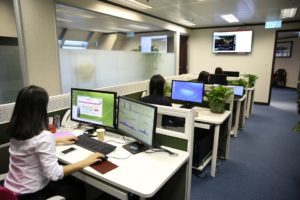
Online services are a suitable alternative for professionals and scholars. Some jobs can get done from home, and children can attend online classes. As long as your home has internet connectivity and devices to access the web, there are many ways to complete daily tasks without exposing oneself to the deadly illness.
Conclusion
The information above does not cover every bit of how technology is proving useful in the fight against COVI-19. However, this is enough to show us the benefits of technology during a pandemic.…
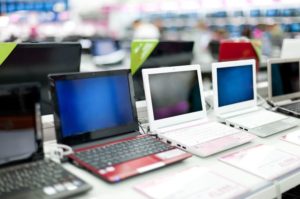 parameter influencing the selection is the screen. The laptop’s dimensions directly depend on its diagonal, and this is the ease of wearing and, again, the purpose of use. A smaller diagonal means more mobility, while stationary use means choosing a larger diagonal. Three main parameters are essential for